Showing posts with label xperia arc s. Show all posts

Monday, November 27, 2017

JellyVanilla EX 6.1|stock rom go to rompure.com

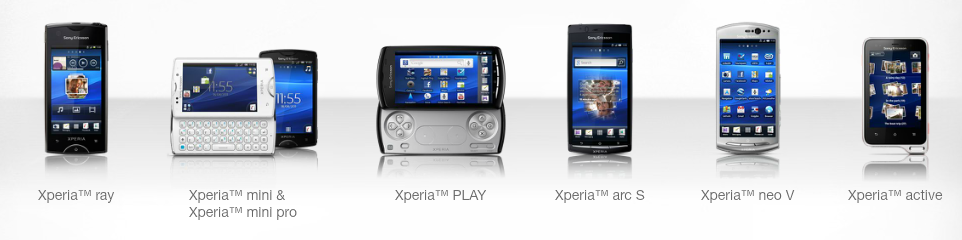
Xperia Arc/S/NeoV/RayMini/Mini Pro/Active/Live WWalkman

  

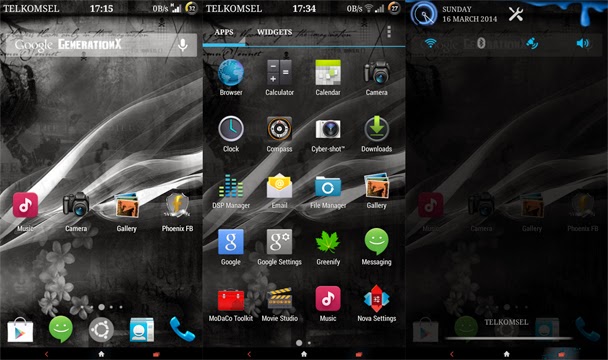
Great rom android 4.2.2 with many features and great look and performance.

INSTALLATION
0. Make a backup
1. Flash CM10.1 LX 20131108 kernel for your device
2. Enter recovery
3. Wipe data (no need to do if you came from JV-EX 5.x)
4. Flash JellyVanilla EX 6.0  ARC/S ONLY(Dev-host)
5. Boot your phone
6. If you get black screen after setting up phone, just press Home button
7. Let the ROM idle for a minute, and... Done !!

UPDATING TO 6.1
0. Make sure JV-EX 6.0 already installed
1. Flash UPDATE-JellyVanilla EX 6.1

download for RAY:http://forum.xda-developers.com/showthread.php?t=2675923
download for NEO Vhttp://forum.xda-developers.com/showthread.php?t=2679033
download for all MDPI Mini/Mini Pro/Active/Live with Walkman:http://forum.xda-developers.com/showpost.php?p=50379323&postcount=657

video preview on my youtube channel.

Tutorial HOW TO?|stock rom go to rompure.com

NÃO ME RESPONSABILIZO POR DANOS QUE FAÇA AO SEU TELEFONE, SE NÃO LER AS MINHAS INDICAÇÕES CORRETAMENTE OU NÃO PERGUNTAR!!!
smokerman RC XDA DEVELOPERS.


PARA INICIANTES-1ªPARTE

Como sei se dá para instalar uma ROM personalizada?

    A primeira coisa que você deve saber é que se o bootloader está desbloqueado. verifique assim:

  1- Primeiro, você deve confirmar se é possível desbloquear o bootloader do seu dispositivo, verificando o menu de serviço. Em seu dispositivo, abra o discador e digite 

* # * # 7378423 # * # * para acessar o menu de serviço.
    2- No seu dispositivo, toque em Informações de serviço> Configuração> Status service. Se desbloquear Bootloader diz que sim,
entao segue o tutorial aqui na SONY!!!  nota: antes de seguir o tutorial da sony, confirma se já está mesmo desbloqueado e coloca um cartao SIM de outra operadora, se o xperia dá normalmente entao já deve estar, por norma quando são desbloqueados á operadora tambem tem o bootloader desbloqueado!!!

Se ele diz que não, ou se o estado estiver em falta, o dispositivo não pode ser desbloqueado de graça.Tem de pagar pelo serviço, se quiser entra em contato comigo que eu faço a um preço super barato.(só Portugal ou em alguns paises da Europa que se paga pouco pelos portes, é bem melhor que danificar o telefone, já fiz até para as Filipinas e Singapura!!!)
   Algumas roms permitem a instalação em bootloader bloqueado.confira no meu canal do youtube todas as que tem na descriçao LOCKED/UNLOCKED ou um video tutorial aqui no meu blog.Essas sao 100%, sem perigo de instalar,mas antes de fazer alguma coisa se tiver duvidas pergunte aqui que eu respondo.


PARA INICIANTES-2ªPARTE

Como faço para instalar uma ROM personalizada?

Esta instalaçao é só para bootloaders desbloqueados.
-antes de começar tenha os ficheiros da ROM+addons já colocados no cartao microSD do telefone.
a) fazer o download do pccompanion e instalar.NAO FAZER UPDATE NENHUM.deixa reconhecer o telefone somente e fecha a aplicação!!!

1-instalar o flashtool :http://d-h.st/gzq
2-instalar as drivers. ir a C:\Flashtool\drivers
3-escolher o seu modelo de xperia+flashtool drivers+fastboot drivers
4-abrir o flashtool.escolher flashmode para stock firmware (ficheiros FTF) carregar no botao VOLTAR. aqui já tem o stock ICS para os xperias- para custom kernel e rom siga para o passo 5.
5-abrir o flashtool.escolher fastboot mode,ligar o cabo usb ao computador.ligar o mini usb ao xperia e carregar no botao MENU.select kernel to flash e escolher o custom kernel.
6-desligar o cabo mini usb do XPERIA e ligar o telefone.
7-entrar no CWM recovery-botao volume - ao vibrar.
8-wipe data/factory reset
9-wipe cache
10-advanced-format system
11-install zip from sd card
12-escolher a rom 


TEM NO MEU CANAL UM VIDEO TUTORIAL EM PORTUGUES.

Sunday, November 26, 2017

Tutorial ROOT XPERIA|stock rom go to rompure.com

Isto é para o Xperia Arc S , Arc and Ray , Neo V, Neo, Live with walkman, Mini, Mini Pro, Active, Neo L, Xperia Pro.

1-Vá para Configurações> Segurança> Marque "Fontes desconhecidas"
2-Configurações> Opções de Desenvolvimento> Depuração USB Mark
3-Configurações> Xperia> conectividade> modo de conexão USB> selecione o modo MSC
4-Instalar PC COMPANION da sony
 
Depois de marcar as configurações acima, conecte o telefone ao PC (nao precisa da instalação PC Companion, instala só e desliga o programa) e espera que os drivers adb sejam  instalados.
Download deste programa de root. https://www.dropbox.com/s/jnwl5r3fnsssbuu/Eroot_V1.3.4.exe e execute-o. Se após a execução
do programa de root. qualquer download começa, cancelá-la clicando no botão verde. Não deixe que o eroot baixar nada. Agora deve detectar o seu telefone e mostrar uma opção para "root". Basta clicar sobre ela, espere até que ele termine.
 
NOTA: Se de alguma forma falhar pela primeira vez, dar-lhe outra vez. Reinicie tudo, o seu PC, telefones etc.NAO SOU RESPONSÁVEL POR ALGUM DANO QUE FAÇA AO APARELHO.
smokerman RC XDA DEVELOPERS. obrigado.

Wednesday, November 22, 2017

android kitkat xperia play/neol|stock rom go to rompure.com


 XPERIA PLAY / XPERIA NEO L
Nova versao lançada, instalaçao como na versao anterior já aqui no blog em baixo.

Nightly build 20140718 - cm-11.0

Últimas mudanças cm11:
  •      HAL poder Atualizado & freqüências fixas
  •      Partição Atualizado procedimento de montagem (pode reduzir o tempo de inicialização de comprimento)
  •      Removido alguns codecs ffmpeg usar equivalentes do Google
  •      Adicionado 5MB de memória RAM para SF pilha (reduz RAM livre por 5MB)
  •      O aumento da MM CMA pilha até 48MB para corrigir possíveis problemas com vídeo codificador /   decodificador
  •      Desativado KSM no kernel, já que é incompatível com as últimas alterações CMA
  •      Interface boostpulse no smartassV2 (nunca funcionou)
  •      Trebuchet borrado nos ícones fixos / superdimensionadas após 4.4.3 arranjado
  •      Característica swype habilitado CWM
  •      Supressão em chamada de ruído desactivado

DOWNLOAD: https://s.basketbuild.com/filedl/devs?dev=LegacyXperia&dl=LegacyXperia/zeus/cm-11.0/nightlies/cm-11-20140703-UNOFFICIAL-LegacyXperia-zeus.zip

Tutorial MULTIBOOT |stock rom go to rompure.com

XPERIA PLAY / NEO L


Here you have a tutorial HOW TO USE TURBO KERNEL /LUPUS v8 multiboot 
Um tutorial completo de como fazer multiboot com o TURBO KERNEL 

*disponivel para download nas seguintes linguagens:

PORTUGUES: http://d-h.st/9jt

ESPANOL: http://d-h.st/bSj

INDONESIA: http://d-h.st/qLM

CHINESE: http://d-h.st/8wN

ENGLISH:  http://d-h.st/vBN

TURBO KERNEL 3.1:
*download kernel xperia play: http://d-h.st/9B0
*download kernel Neo L: http://d-h.st/RBy

LUPUS v8 480 MULTIBOOT xperia play ONLY!!!: http://d-h.st/o7N 

TURBO KERNEL FOR XPERIAPLAY ONLY VERSION 3.1.1http://d-h.st/ccN


Vanir AOSP 4.4.2|stock rom go to rompure.com


VanirAOSP official 4.4.2 arc/s


DOWNLOAD ROM:http://www.emccann.net/nuclearmistake/VanirAOSPNightlies/anzu/
Flash kernel inside zip.

GAPPS MINI:http://goo.im/devs/BaNkS/GApps/4.4.2

Features:

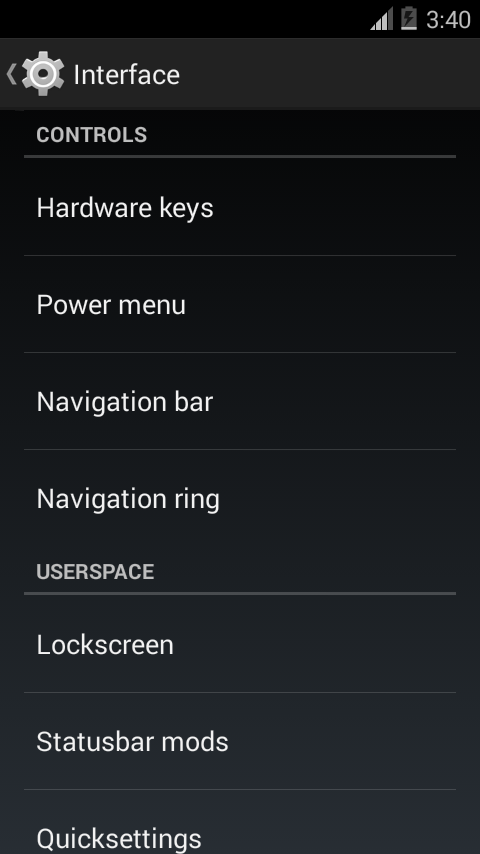
Status Bar
- Quick Setting including numerous customizations
- Customize clock display and location, customize signal bar
- % displayed in battery + circle mod
- Transparency

Navigation Bar
- Customizable buttons + colors
- Customizable height + width
- Navi Ring
- Transparency

Lockscreen
- Fully customizable targets/rotation/widgets/ and more
- Transparency

General Tweaks
- Ad blocking
- PIE: with extended options
- Tablet UI Chooser
- DPI/LCD changer + force tablet settings mode
- Theme Chooser: Including inverted theme
- Galaxy Nexus Parts
- ADB over network
- Bravia Engine 2.0
- Custom Carrier text
- Custom backlight
- Expanded Desktop: with different modes
- Extended Power menu
- A-GPS. - Kang PrimeDirective –> Credit happily1986
- Long press back to kill (in developer options)

Application Tweaks
- Selectable Gtalk
- Expanded Phone: noise reduction, advanced settings, speaker proximity
- Expanded MMS including Quick Emoji
- Camera: Enhanced settings (credit CM)
- Functional Sound Recorder
- Koush’s Superuser
- Vanir Keyboard – removed tracking/logging – highly optimized

Performance Manager
- Processor governor + speed
- Voltage control
- I/o Scheduler
- Disable boot animation
- Enhance recent menu

Sound
- Beats Audio – Cherry picked from several sources, but chiefly NexusLouderV6B5
- Quiet Hours
- DSP Manager included (Credit CM)
- Volume wake / rocker music controld
- Rewritten Speaker proximity designed for Commotio/Vanir

Debloated
- All inclusive ~180 MB –> 60 MB of Bloat removed
- Fully featured LatinIME Keyboard, but only 2.2 MB (normally 16-20 MB), removed tracking/logging
- And soo much more

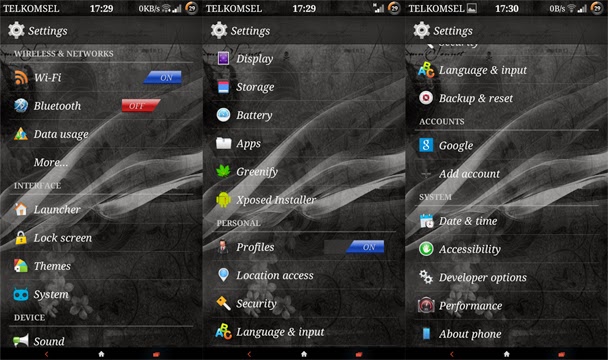
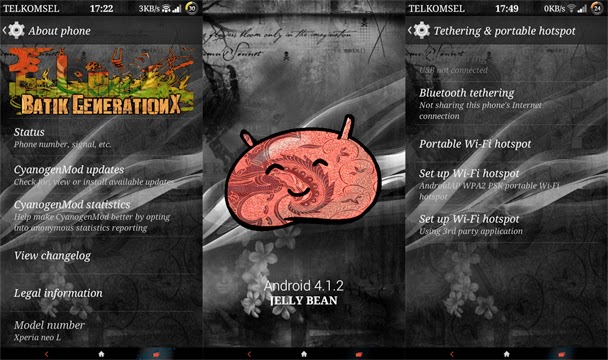
BATIK GENERATIONX|stock rom go to rompure.com

New JB rom for neoL and xperia play cm10 based.


FEATURES:
Cyber-shot Vignette Extra tab in setting
(More.../Tethering & portable hotspot/Set up Wi-Fi hotspot)
-WiFi Tether
(System)
-MoDaCo Toolkit
(Sound)
-DSP Manager
-Viper4Android
-Viper4Android XHiFi
-Greenify
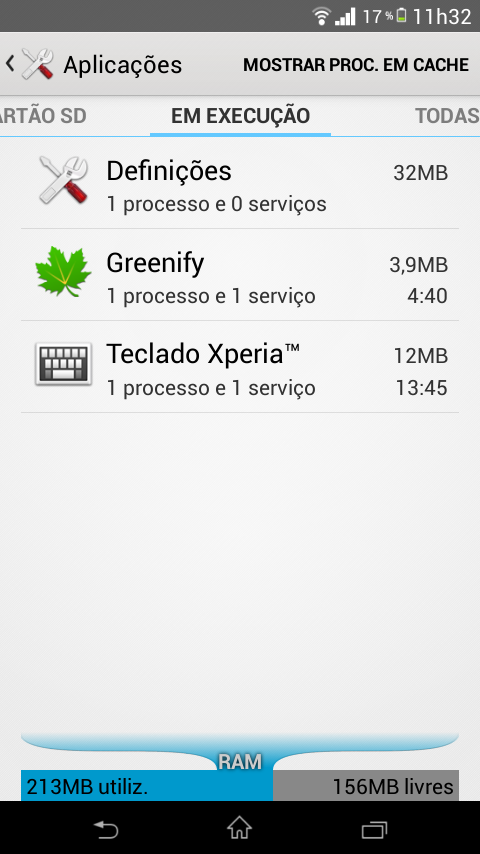
-Xposed Installer Rom logo on about phoneBuild propt tweaksNova LauncherMIUI appsSemi transparent frameworkModded framework


download rom: http://www.mediafire.com/download/tjpdmhhguyempg2/Batik+GenerationX.zip

kernel for neoL:https://www.dropbox.com/s/3wpyrkli7hyvfih/ARKMULTIBOOT.img

xperia play patch:  http://www.mediafire.com/download/583ikf8j969vjn3/BatikGX_XPlay_Patch.zip

kernel for xperia play:http://d-h.st/ccN

 Download Batik GenerationX.zip & put it in your SD card
***Flash stock ftf using flashtool*** ONLY NEOL

***Flash FTF vendor partition .62*** xperia play only!!! if you have it no need.
1.Factory reset in CWM
2.wipe cache partition
3.wipe dalvik cache
4.Format/system (in mounts and storage)
5.Format/cache
6.Format/Data
7.Install Batik GenerationX.zip
8.Install xperia play patch.ONLY XPERIA PLAY USERS!!!

9.Reboot now & it's done !
 
thanks to:
leonfirdaus [Partner & Designer]
wedgess [Forum Moderator]
atmodimejad
WahyuAndri [Phoenix FB]
Rizal Lovins [Cyber-shot Vignette]
VIPER520 [Founder and Developer of ViPER’s Audio]
zhuhang [Viper4Android]
rovo89 [Xposed]
Jarbu12 [ARK MULTIBOOT]
ronii ahmad [Oppo Launcher]
Man'z Marmoth [Lenovo Launcher]

Sunday, November 19, 2017

KITKAT ROMS 2014 NEW |stock rom go to rompure.com

Here a small test on NEATROM KK,SOKP,CYANFOX, C-ROM, BEANSTALK and SLIMKAT 4.4.2 roms for galaxy S2 and many other devices as xperia 2011 devices, ARC/S/NEO/V/RAY..not available yet as we all know for XPERIA PLAY /NEOL..maybe soon enough.

INSTALLATION FOR GALAXY S2:
a)if you are coming from a JB rom first flash this: http://d-h.st/sKD
b) just to be sure flash this after: http://d-h.st/Pqs
1-flash a kitkat CWM compatible;http://d-h.st/e7f
2-flash rom
3-flash gapps
4-reboot
5-optional-flash APOLO 7.0b cm KERNEL to have BLN and other tweaks.(needs apolo configurator FREE on playstore).

INSTALLATION FOR ARC/S:

ONLY UNLOCKED BOOTLOADERS!!!

1-flash darkraven kernel (i recommend this kernel)  or kernel inside the rom zip.
2-flash rom
3-flash gapps
4-reboot

NOT IN ANY SPECIAL ORDER, BUT MY PERSONAL FAVOURITES ARE: BEANSTALK,C-ROM SOKP AND SLIMSABER.


all credits on download links for xda developers: Pedestre, -Grift- ,Philz and others.

Saturday, November 18, 2017

1 year, thanks to all bloggers|stock rom go to rompure.com

So im asking to put your phone there. Many users are following me since xperia 2011 devices, but from there untill now i m supporting many others. So please vote in the poll and tell me wich is your phone.

The reason? i want to know if i split the blog in other only exclusive for XPERIA PLAY / NEOL and keep this one only for other models.

1-Do you all agree? it seems a good idea?
2-Whats your language? you prefer to see my posts and videos in english or should i change it to Portuguese or Spanish?

Most of my bloggers are from Brazil, Mexico, Spain, Portugal, India and Indonesia.

So many thanks to all and lets grow our community, here and in my youtube channel with more videos with tips about battery life, best apps and more..


Leave your opinion and suggestions and criticize, always good to hear your opinion.


thank you ALL. smokerman RC @xda developers aka Sérgio Pereira.


Friday, November 17, 2017

XPERIA PLAY/NEOL CM11 new|stock rom go to rompure.com


 DOWNLOAD XPERIA PLAY/NEOL ONLY!! https://s.basketbuild.com/filedl/devs?dev=LegacyXperia&dl=LegacyXperia/zeus/cm-11.0/nightlies/cm-11-20140817-UNOFFICIAL-LegacyXperia-zeus.zip

ALL OTHER XPERIA 2011 DEVICES: https://s.basketbuild.com/devs/LegacyXperia


latest build changelog:

* Latest cm11.0 changes
* Updates to WiFi & BT from omapzoom d-kitkat-mr2.1-release branch (mogami devices)
* Fixed support for screen casting (eg. Chromecast) - untested
* Fixed default IO scheduler not being set to row after clean install
* Experimental pmem->ion wrapper
* Fixed volume down recovery key detection on zeus/phoenix

Camera, BT & WiFi are still not working

installation instructions in this blog, look for it a few posts below.

Thursday, November 16, 2017

Update 2014|stock rom go to rompure.com


As you all know i still dont have my xperia play...a user donated one to me but never arrived to my home..its returning to USA for that user..its the postoffice we have in Portugal..a big shitt i may say..so at the moment i cant update or make anything for xperia play..im stucked.My xperia play have the flex broken,display and touchscreen wich is expensive to fix here in Portugal..so to all users that like my work for xperia 2011 devices if you want to donate your old xperia 2011 phone to me i will continue developing for you free as i always did.

xperia arc/s/play/neol/neov/ray ..but if was a xperia play..awsome.


thanks to all, smokerman RC @XDA DEVELOPERS.


KITKAT XPERIA PLAY/NEOL|stock rom go to rompure.com


One step further and android 4.4.2 is almost done and released..wait a bit more for some news as the built still have some bugs..not working 100% still, but soon i will post here the link for download, stay tunned!!!


Wednesday, November 15, 2017

Kernel LIST XPERIA PLAY|stock rom go to rompure.com


android 2.3.7
Lupus GB V12
System/Data
219MB/700MB
 http://d-h.st/myfiles?fld_id=32453#files

 Doomlord GB v14 NEW
 System/Data
209MB/700MB
http://d-h.st/myfiles?fld_id=34160#files
 -If you are using doomkernel, you must flash wifi modules.

android 4.0.4
 Lupus ICS/GB V7
System/Data
400MB/519MB
http://d-h.st/myfiles?fld_id=32454#files

 Lupus ICSbeta V12
 System/Data
400MB/519MB
http://d-h.st/myfiles?fld_id=34159#files

 Doomlord ICSbeta v03
 System/Data
400MB/519MB
 http://d-h.st/myfiles?fld_id=34162#files
 -If you are using doomkernel, you must flash wifi modules.

 android 4.1.2
Turbo kernel 3.1.1 NEW
 System/400MB/
http://d-h.st/myfiles?fld_id=32455#files

 ATTENTION:
*Flashing kernel with different partition layout will make your current rom unbootable!!!
*You must do factory reser (erase system and data) before flashing new kernel!!!!! MAKE BACKUP! *Recommended way is to backup apps with "Titanium backup" or "Mybackuproot". You have been warned!
ATENÇÃO:
*Flashear um  kernel com layout de partição diferente vai fazer a sua rom atual não arrancar!
*Você deve fazer reset fábrica (sistema de exclusão e de dados) antes de flashear o novo kernel!! FAÇA BACKUP!  

*Forma recomendada é usar aplicativos de backup como " Titanium" ou "Mybackuproot". Você foi avisado!

NOTES: 
-If you are using doomkernel, you must flash wifi modules.
 -If you are having problem when downloading apps from playstore, download and run marketfix
-If you are having trouble with root in your rom with one of these kernels, install latest busybox, then update su binaries from within superuser app.


THANKS TO: Bakisha, cosmicdan, wedgess, Doomlord,  itazchu.


Tuesday, November 14, 2017

PLAYZ 5.1 LITE 2014|stock rom go to rompure.com


 XPERIA PLAY / NEOL only!!!


A lighter rom, very good performance and battery life .Hope that does not have bugs, if you find any please post here on the blog.

INSTALLATION:
PlayZ lite 5.1:http://d-h.st/82b
kernel for xperia play: http://d-h.st/wxB
not having root?enter recovery and flash this:http://d-h.st/8QB

kernel for neoL: http://d-h.st/A37
if wifi doesnt work flash this-» NEOL only!: http://d-h.st/imD

thanks to markphyton from original rom, i just make it lighter and faster for gamers hopefully.


ROM 4.4.2 KITKAT XPERIA PLAY|stock rom go to rompure.com

 If you want a fully working kitkat rom for xperia play see here:
only thing you need is a paypal account to donate a few dollars/euros.


i m thinking on building one of this roms, tell me wich one you guys would like to see for xperia play:


Monday, November 13, 2017

EXTREME KERNEL GB|stock rom go to rompure.com


A new version of this kernel, with great features and possibility of 000p version with more free ram for games, but NO CAMERA.

Version r3:

 720p/480p/000p(no camera)+Wifi modules for all r3 versions:
 http://d-h.st/myfiles?fld_id=36284#files


THIS KERNEL IS ONLY FOR XPERIA PLAY r800i/a/at